
What Types of CCTV Camera Accessories Do You Need?
A CCTV camera is only one part of a dependable security system. The right Cctv Camera Accessories help cameras stay powered, protected, connected, and correctly positioned. A mounting bracket can reduce vibration on a wall; a weather-rated junction box can shield cable connections from rain. Power supplies, network cables, storage devices, and surge protection also affect how reliably a system operates. Small details matter.
This guide outlines the accessories commonly needed for different installations and explains what each one does. It considers practical factors such as camera type, cable distance, indoor or outdoor placement, and available power. A PoE camera, for example, may use one network cable for power and data, while another setup may require a separate power adapter. Check product specifications before buying. Compatibility is easy to overlook, and a connector that almost fits is still the wrong connector.
Not every installation needs every accessory. A small indoor setup may need little more than stable mounting and suitable storage, while a larger outdoor system may benefit from weather protection and backup power. There is no universal shopping list. Even careful planning can miss a detail, so reviewing the camera manual and testing the system before final placement are sensible steps. A clear understanding of these options can help you choose equipment that suits the site, rather than paying for features you will not use.
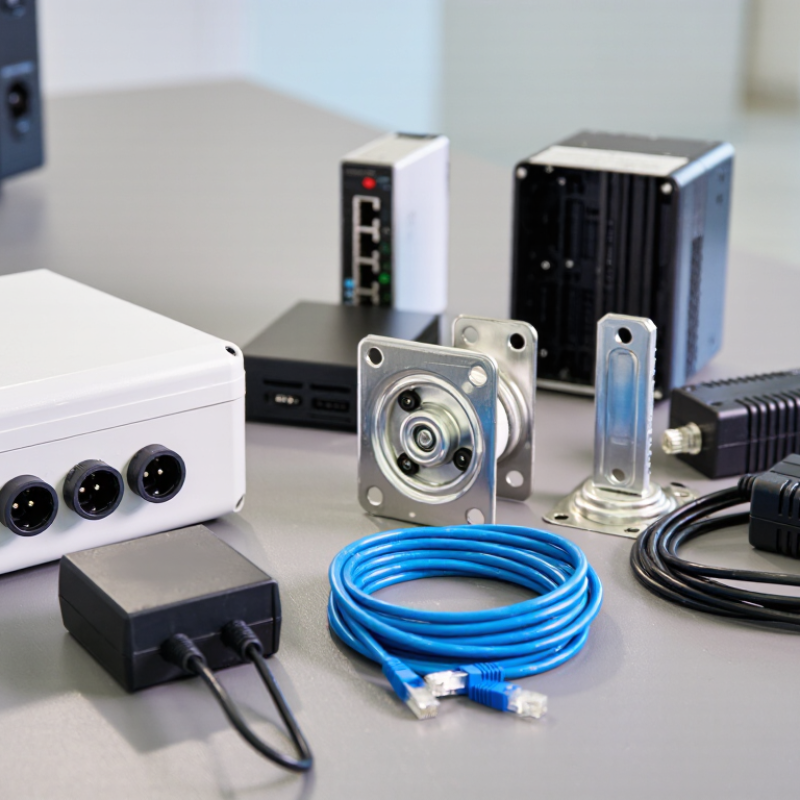
Essential CCTV Camera Accessories and Their Roles
CCTV cameras rarely work well as isolated devices. The right accessories support clear footage, reliable power, and stable coverage. A mounting bracket keeps the camera steady and positions its lens toward the intended area. For outdoor installation, choose a weather-resistant housing and sealed cable connections. Small gaps can let moisture in.
Power accessories matter just as much. A suitable power adapter or network cable with power delivery must match the camera’s requirements. Surge protection can help guard equipment against electrical spikes, especially where cables run outdoors. Check compatibility before buying; similar-looking connectors do not always carry power in the same way.
Storage devices or a compatible recorder preserve footage for later review. Select capacity based on camera count, image quality, and how long recordings need to remain available. A monitor helps with setup, while a network cable supports dependable connections and easier troubleshooting. Lens-cleaning cloths and cable clips seem minor, but they help keep images clear and wiring tidy. In practical installations, poor cable routing can cause more trouble than expected. It is easy to overbuy accessories, though. Match each item to the camera, location, and recording plan.
