
What Is a Cloud Video Door Phone and How Does It Work?
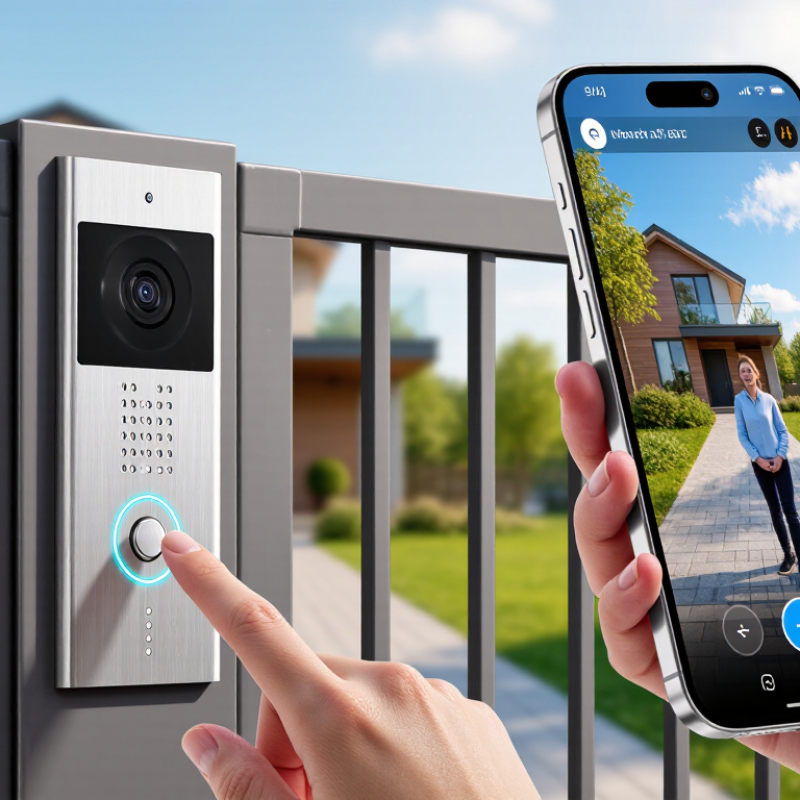
A visitor presses the call button at the gate. Your phone rings, a live image appears, and you can speak without opening the door. That simple exchange is the visible part of a Cloud Video Door Phone. Behind it, a camera and microphone capture the visitor, while an internet connection carries video and audio to an app or indoor monitor. Depending on the system, you may also unlock a connected entrance remotely.
Cybersecurity expert Bruce Schneier’s familiar reminder, “Security is a process, not a product,” offers a useful lens for understanding these devices. Cloud access can make answering easier when you are away, but it also depends on a stable network, account security, and the provider’s service. Small details matter. A weak Wi-Fi signal near a metal gate can delay the image. Notifications may arrive late. And cloud storage settings are not always obvious.
This guide explains what a Cloud Video Door Phone is, how its components communicate, and what happens when someone calls. It also considers practical trade-offs, including remote access, recording, installation, and privacy controls. The technology is convenient, not magic. Understanding its path—from the button outside to the screen in your hand—helps you choose a system that fits your home and use it with realistic expectations.
What Defines a Cloud Video Door Phone?
What Defines a Cloud Video Door Phone?
A cloud video door phone connects an outdoor entrance station to an indoor monitor, mobile app, or both. When a visitor presses the button, the system sends an alert and live video through the home network to a cloud service. The resident can speak back, view the doorway, and, if the system supports it, unlock the entrance remotely. Recorded clips may also be stored online. That distinction matters. A wireless device is not automatically cloud-based; remote access and cloud services depend on the product’s design and internet connection.
The service’s practical value depends on more than a camera. Check video quality at night, audio delay, recording retention, account security, and what still works during an internet outage. Grand View Research’s Video Doorbell Market Size, Share & Trends Analysis Report estimated the global video doorbell market at about USD 2.3 billion in 2023. This signals growing interest, but market growth alone cannot prove that a specific system is secure or reliable. Cloud is not magic; it adds another dependency.
Tips: Test the door station from the actual entryway, where walls and weak Wi-Fi can disrupt calls. Review storage settings before installation. Ask what happens when the router loses power.
