
147 Mill Ridge Rd Suite 232
Lynchburg, Virginia 24502
Phone 757-982-3665

How to Choose the Right 10G SFP Copper Module

Choosing the right 10g Sfp Copper module takes more than matching a product label to a switch port. A 10GBASE-T SFP+ module converts the optical-style SFP+ interface into an RJ45 connection, but compatibility varies by host device. Check the switch’s supported transceiver list, module power requirements, and thermal limits before ordering. Then confirm the required cable category and distance. Some modules support shorter runs than users expect, especially in tightly packed switch racks.

Networking expert Andrew S. Tanenbaum is often credited with the line, “The nice thing about standards is that there are so many to choose from.” It is a useful caution here: matching the 10G rate does not guarantee that a module will work in every port. Check the datasheet, not just the listing title.

A practical comparison should weigh distance, heat, power draw, and the cost of replacing existing cabling. Look for clear specifications, tested host compatibility, and a warranty backed by a reachable support team. A module that runs hot may need more airflow around its port. That detail is easy to miss. Also, do not assume every Cat6A installation will deliver the same reach; cable quality and installation conditions matter. The best choice is the one that fits the actual switch, cable run, and operating environment—not merely the lowest price. A little extra checking can prevent an expensive mismatch.
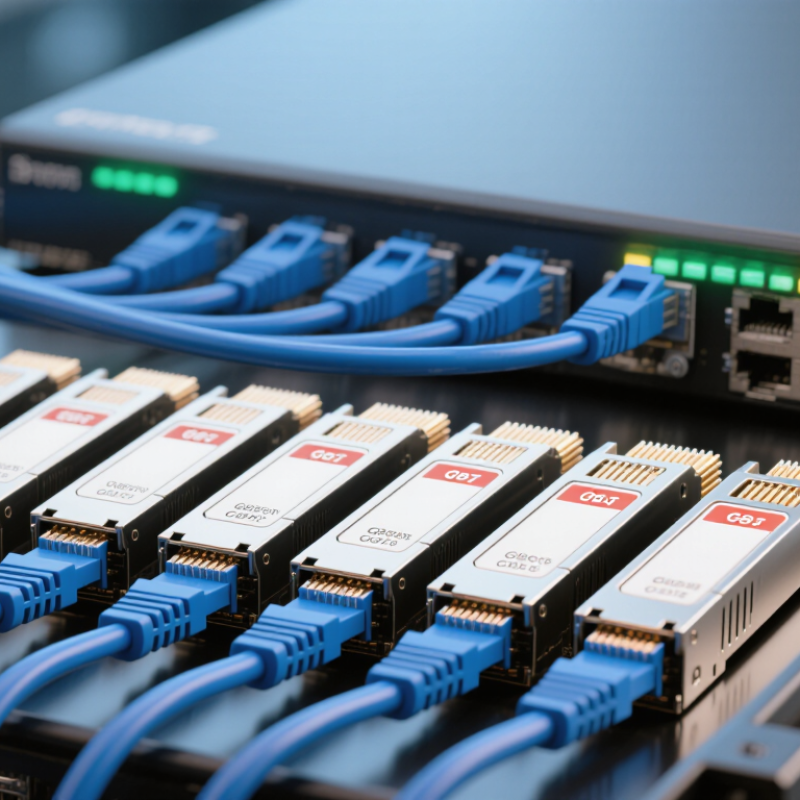
How to Choose the Right 10G SFP Copper Module

Understand the 10G SFP Copper Module and Its Capabilities

A 10G SFP copper module is a small transceiver that fits an SFP+ port and connects to Ethernet over a familiar RJ45 cable. It can make sense when a switch must link to a nearby server without replacing existing copper cabling. The module converts the electrical signal for the host port; it does not turn an ordinary port into a higher-speed one.

Distance is limited. Many 10GBASE-T SFP+ modules support links up to about 30 meters, but the exact limit depends on the module and cable category. Cat6a is a common choice for a 10-gigabit link, especially where cable routes pass near other equipment. Check the module’s specified reach rather than relying on a cable label alone. A short patch cable helps, but it cannot fix a mismatched or poorly terminated run.

Heat and power deserve attention. Copper modules can draw more power and run warmer than some optical options, so a densely packed switch may need airflow and careful temperature checks. Compatibility matters, too: verify the host’s supported module types, port speed, and power limits before installation. The metal cage can feel warm during operation. That may be normal, but it is worth checking against the equipment specifications. Copper is convenient, not automatically the best fit.

How to Choose the Right 10G SFP Copper Module

Understand the 10G SFP Copper Module and Its Capabilities

Category 6 cabling can support 10GBASE-T up to 55 m under specified conditions, while Category 6A supports up to 100 m. Many 10G SFP+ copper modules are rated for up to 30 m; actual reach depends on the module and cabling, so check its specifications before choosing.

Check Switch Compatibility and Supported Module Types

A 10G SFP copper module is not automatically compatible with every SFP+ port. Check the switch’s hardware guide or compatibility list before ordering. Confirm that the exact port supports a 10GBASE-T module, not only optical transceivers or direct-attach cables. Check the port first.

Also review the switch’s software version and module support notes. Some platforms require a particular firmware release or restrict copper modules because they use more power and generate more heat. That can matter in a tightly packed switch, especially when several modules run side by side. A port may fit physically but still reject the module or report an unsupported-transceiver warning.

Check the module’s supported link speed, maximum cable distance, and required twisted-pair cable category. Many 10G copper modules are designed for short links, and the actual limit depends on the module specification and cable quality. Read the fine print. If the switch documentation is unclear, ask its support team to confirm the module type and port combination in writing. It is tempting to judge compatibility by the connector alone; that is an easy assumption to make, and a poor one to rely on.

How to Choose the Right 10G SFP Copper Module - Check Switch Compatibility and Supported Module Types

Module or Cable Type Connector and Medium Typical Speed Typical Reach Compatibility Checks Best Use
10GBASE-T SFP+ copper transceiver RJ45 port; twisted-pair Ethernet cable 10 GbE; supported lower rates depend on the module and host port Often up to 30 m for SFP+ modules; check the module specification. 10GBASE-T structured cabling can support longer channel distances under the applicable cabling standard. Confirm the switch explicitly supports 10GBASE-T SFP+ modules, the module’s power and thermal requirements, port speed settings, and the required cable category. Connecting an RJ45-based 10 GbE device to an SFP+ port.
SFP+ Direct Attach Copper (DAC) Fixed SFP+ connectors joined by a twinax copper cable Typically 10 GbE Short links; passive and active cable lengths vary by product Check both devices support the cable’s SFP+ coding and length. A DAC is a cable assembly, not an RJ45 transceiver. Short connections between switches, servers, or storage equipment with SFP+ ports.
SFP+ Active Optical Cable (AOC) Fixed SFP+ ends with optical fiber inside the cable Typically 10 GbE Longer than many DAC options; exact reach is product-specific Verify SFP+ host support, cable length, and compatibility at both ends. An AOC is not a copper Ethernet link. A pre-terminated link when a DAC is too short or electrical isolation is useful.
10G SFP+ optical transceiver Optical connector and fiber; connector and fiber type depend on the optic Typically 10 GbE Depends on the optic, fiber type, and link design Match both transceivers, wavelength, fiber type, connector, and supported link distance. This is an alternative to copper, not an RJ45 module. Longer links or installations already using fiber cabling.
1000BASE-T SFP copper transceiver RJ45 port; twisted-pair Ethernet cable 1 GbE, not 10 GbE Typically up to 100 m on suitable cabling Do not select this when a 10 GbE link is required. Confirm the SFP port supports this module type. A 1 GbE RJ45 connection in a compatible SFP port.
Switch compatibility checklist SFP+ port, software, and hardware requirements Must support the required link rate Confirm reach against the module and cable specifications Check the switch documentation for supported module types, firmware or coding requirements, port speed, power budget, and cooling limits. SFP+ form factor alone does not guarantee compatibility. Use before purchase and installation to avoid unsupported modules or unreliable links.

Note: Cable category, channel length, module reach, supported speeds, and host compatibility can vary by product. Always verify the switch and module specifications before deployment.

Choose the Right Cable Type and Transmission Distance

A 10G SFP copper module connects to standard twisted-pair Ethernet cable through an RJ45 port. Before choosing a cable, check the module’s specified reach and the switch’s compatibility notes. Many 10G copper modules support up to 30 meters over Cat6a, but the exact limit depends on the module. Do not assume every model reaches the same distance.

Cable category matters. Cat6a is a dependable choice for a full 10-gigabit link, especially when a cable runs through walls or alongside other network lines. Cat6 may work over shorter distances, but performance can vary with installation quality and interference. Older Cat5e cabling is not a reliable choice for a guaranteed 10G connection. A loose connector or sharply bent cable can also cause trouble.

Measure the complete path, including patch cords and connections through panels. Leave a little slack, but avoid unnecessary coils behind a rack. Shorter is usually simpler. Still, distance is not the only concern: copper modules can draw more power and produce more heat than optical modules. In a crowded switch, check airflow and supported module types before ordering. It is easy to focus on the cable label and overlook the port itself; that mistake can cost time during installation.

Compare Power, Heat, and Performance Requirements

How to Choose the Right 10G SFP Copper Module: Compare Power, Heat, and Performance Requirements

A 10G SFP copper module can draw noticeably more power than an optical module, so check the switch’s port budget before buying. Compare the module’s stated maximum power with the host’s supported SFP+ power class; do not rely on average consumption. SFF-8431 defines SFP+ electrical and host-interface requirements, but compatibility still depends on the equipment’s own thermal limits.

Small cage, limited airflow. In a crowded rack, several warm modules can raise inlet temperatures and trigger instability. Check port spacing, fan direction, and the switch’s temperature readings under sustained traffic.

Reach and Cabling

Reach needs equal care. IEEE 802.3an specifies 10GBASE-T operation over up to 100 metres of suitable twisted-pair cabling, but that does not guarantee a copper SFP module will reach that distance. Compact modules often have shorter rated reaches; use the exact module specification and cable category to set expectations.

A 30-metre link across a warm ceiling tray may behave differently from a short patch lead in a cool lab. Test the intended cable run with real traffic, then inspect errors and module temperature. A clean link light is not enough.

One caveat: published power figures may describe different test conditions, so comparisons can be imperfect. I would leave thermal headroom rather than size the design to a best-case number.

Verify Installation and Network Compatibility Before Deployment

Before installation, confirm that the switch’s SFP+ port supports 10GBASE-T copper modules; a matching cage alone does not guarantee compatibility. Check the device documentation for supported module types, firmware requirements, power limits, and operating temperature. The SFF-8431 specification defines key SFP+ electrical interface requirements, but it does not certify every host-module combination. Test the exact module and switch together where possible. A link light is not enough.

Check the cable path, too. IEEE 802.3an specifies 10GBASE-T operation over balanced twisted-pair channels up to 100 meters, but that figure is not a promise for every copper SFP+ module. Many modules have shorter reach limits, so follow the module’s own data sheet. Inspect the cable category, length, plugs, and patch-panel connections; a tight bend behind a rack can undermine an otherwise sound run. Then verify link speed, error counters, and temperature under real traffic. It can feel repetitive. Still, compatibility checks are cheaper than tracing intermittent errors after deployment. Record the tested port, cable length, and module temperature—small details are easy to forget.

Article Source: